


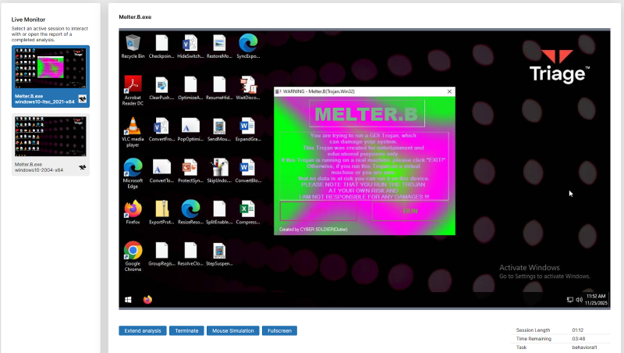
Whatever operating system you use, if you keep updating it and take security procedures recommended by that operating system it usually does a fantastic job filtering out malicious and bloatwares. This includes both modern systems like iOS, MacOS, Windows and even not-so modern operating systems for commercial use. They all ought to have some kind of security feature that enables searches for malicious files in its native device, making you and your devices less susceptible to viruses and malicious files.
However, these protection systems don’t always filter out malicious files, and when that happens, one single virus can wreak havoc across your devices. The malicious files that the protection system most commonly fails to detect are in the form of .exe or executable. Files. Executable files are designed to run programs directly after file opening, meaning that they are a perfect way for attackers to insert threat actors to install malicious codes, which can be viruses, malware, and many more variety of other threat types, such as spyware, trojans, and ransomware onto a victim’s operating system.
These attacks can vary in forms and its affects, varying from annoying but harmless “pranks”(not legal, you should not promote any kind of viruses), to straight up “melting down” your operating system, figuratively and literally, they can also just spy on you and “keylogging”, which is spying on you by watching your keystrokes and more.
You are likely to encounter executable malicious files from attackers’ phishing email executable files and convince victims to open and execute their malicious files using social engineering tactics(view previous article for more information). The attackers usually share these files through a vulnerable file upload database for the distribution to a wide range of victims, meaning that they automate this process. This can be somewhat beneficial for individual users, as the individual attackers don’t usually make their own viruses but rather buy/source them from the dark web. You can easily search up a sketchy app name or file on the internet, and hopefully find some results.
Some ways you can protect yourself and your machines from downloading and executing these kinds of malware are to first use your common sense by not clicking on random files, or downloading applications from pseudo websites. However, just using your common sense isn’t enough, and if you want to make sure if the application you want to open is legit or contains malwares, you can quickly run your files on a website called Virustotal, it can scan and detect files, however, I do not recommend scanning your more sensitive files, those that might contain your personal information as the files you upload also get uploaded into their database for the other users can see.
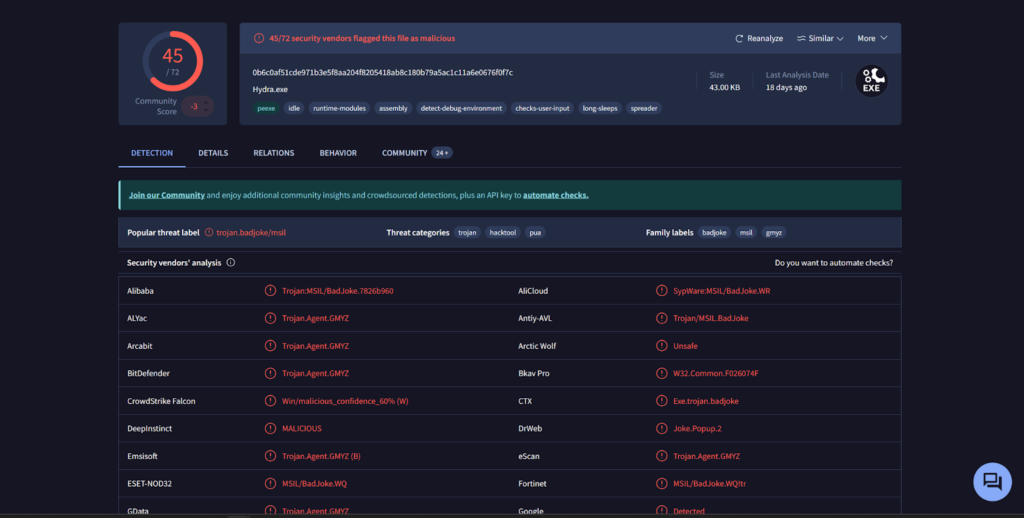
The screenshot above is the result I got when I uploaded a pretty infamous virus, and it was successful in detecting various malicious acts the app would do, and what kind of permissions it would have. (This virus is on the more tamer side, and if you are curious, its name is “Hydra.exe.”)
Even if you clicked on it to download, your browser or your OS likely would double-check with you, saying how the file you want to download may be malicious, and advise you not to proceed. If you do, however, download malicious execution files, it isn’t completely over, as many OS, like I mentioned before, generally do a fantastic job at isolating threats and even removing them completely.
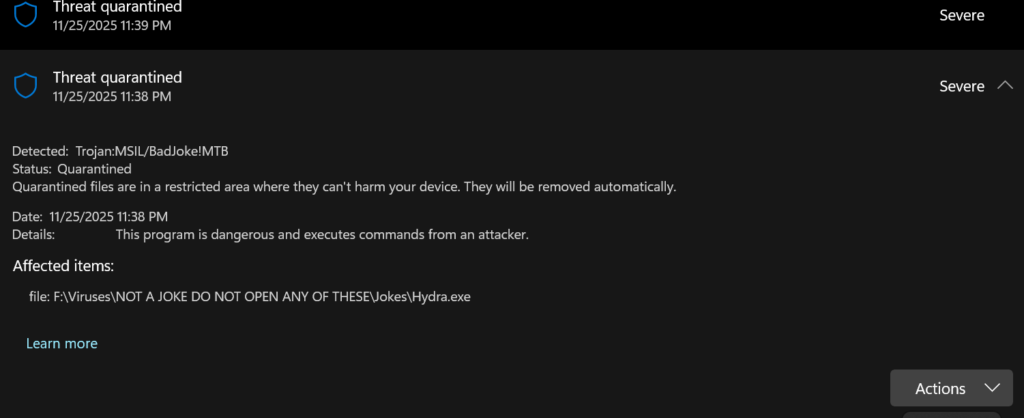
As soon as Windows Defender detects a malicious file, in this case being a trojan, it quarantines the application, limiting and restricting the application from further processing. I personally don’t use any other antivirus software. I found that Windows Defender does a great job of detecting malicious software, and any other antivirus software feels more like bloatware, and I just don’t feel comfortable with them poking around my files. However, if you are more paranoid about being a victim of these attacks, Avast is a solid option, as it is free, has a lot of databases to detect various malicious applications, and is reputable.
Although the last technique for detecting malicious applications is a bit time-consuming, it gives a full analysis of the actions of files and gives you a report, showing what the application changed and had access to in your machine. It is always better to be safe than sorry, so I definitely do recommend this the most, though not ideal for some people. And that is checking and opening the execution files by uploading them into a Virtual Machine, which is isolated, so if used CORRECTLY, it has no chance for the viruses to escape that environment and escape the “sandbox” you made for testing. However, it is very inefficient for you to create individual VMs just to test a few viruses and eliminate them. There is a far better and convenient way to do it, and it is by using Triage, which is a web-based application that lets you host many VMs on various operating systems and versions.
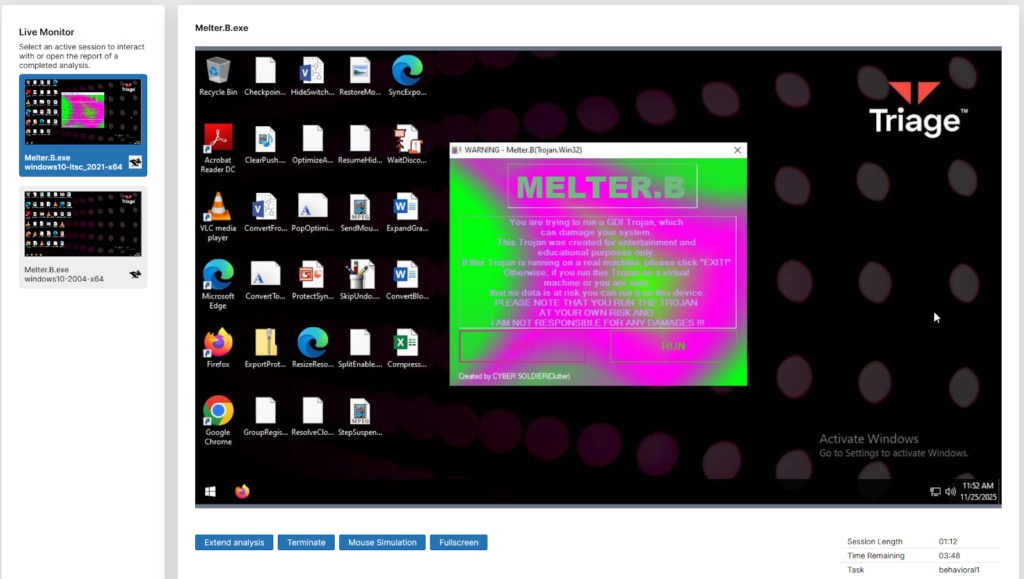
The picture above is when I loaded up a VM from Triage and uploaded another very famous executable virus, “Melter”. Which straight up melts your machine, never to be used again. You should never, ever run these kinds of viruses, but by securing a secure sandbox where I can safely isolate the virus from my actual machine from spreading, I can run this safely and get an analysis from it.
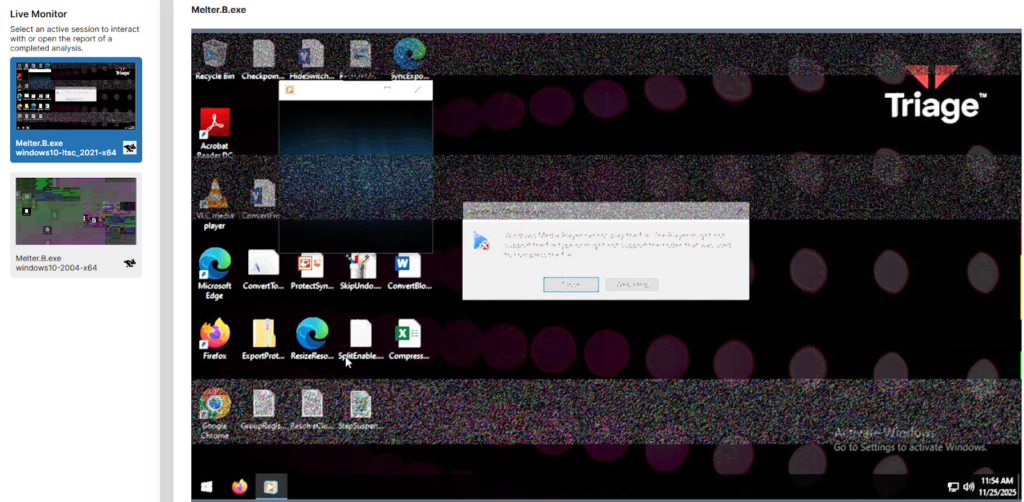
(This is a screenshot I took after a few seconds of running the application.ion)
Many more types of application viruses have different purposes, like the previous one, meant for destroying your machine, a rather harmless prank, ransomwares, spywares, trojans, and much more, but some ways that I showed you in this article hopefully can make you less vulnerable and protect yourself from executable file attacks, and how to isolate them. Finally, you should NEVER and I mean never, download any kind of virus, or spread them just for fun and getting some kind of revenge of others, as it can lead you into serious troubles, all these information is just for the educational purposes only, I don’t condone nor promote any wrongdoings and harmful acts, nor I recommend downloading sketchy viruses, I did it just for the educational purpose ONLY.
By. Geumchang An
Works Cited:
Cloudmersive. “What Are Executables and Why Are They a Threat?” Cloudmersive,
cloudmersive.com/article/What-are-Executables-and-Why-Are-They-a-Threat %3F.
Accessed 26 Nov. 2025.