


In today’s digital world, many social platforms and sites require users to log in using their emails and passwords so that their data and preferences can be saved. Millions of digital accounts store each individual’s personal information and private data. People often give their emails and passwords to sites that they aren’t even familiar with, automatically giving out their trust just because it is more convenient.
Many use generic passwords that follow a simple pattern due to their convenience and that it is easy to remember. However, short generic passwords that people usually use across all their accounts are not only more prone to their passwords being leaked, but they would be risking their other accounts on different platforms, as attackers know that people are just too lazy to change or create a unique password with a second authentication system to verify the user. Short and easy-to-guess passwords can be guessed way more easily than unique individual passwords that don’t follow any patterns.
Attackers can use a brute-force attack (meaning that they put a sort of dictionary of commonly used passwords and try all of those and see which one works), although not very effective in most cases, since it is easy to execute and people still this day use commonly used passwords to this day, inexperienced attackers could get a hold of your login credentials using this attack.
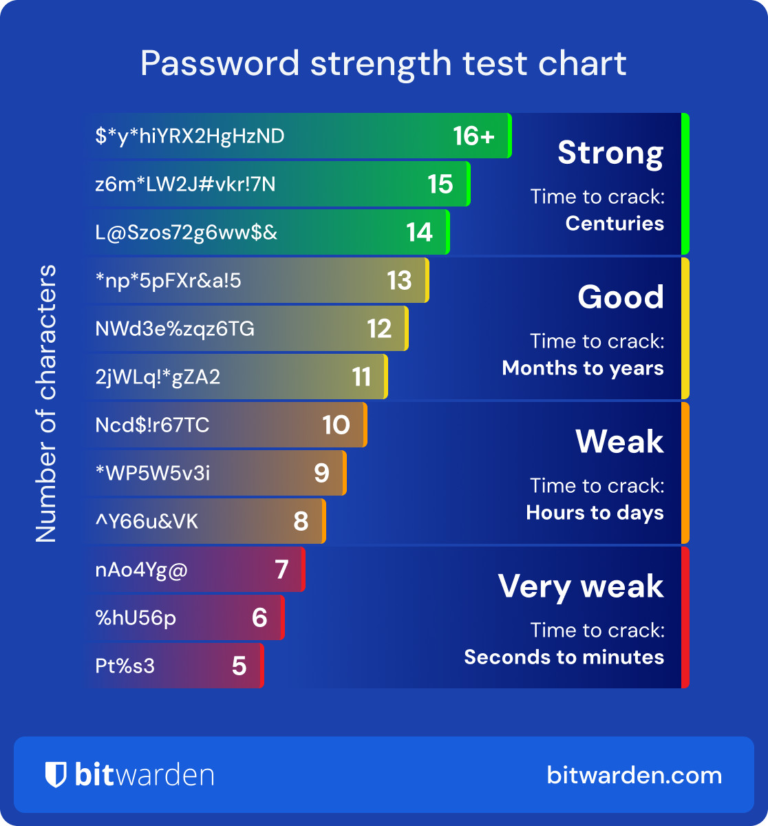
Brute-force attacks vary in complexity, devices, and interfaces. This picture indicates how fast a password can be cracked using the brute-force technique, depending on its strength.
Many people to this day still choose passwords that aren’t unique, using passwords that are based on their pets’ names, date of birth, or even worse, something like “1234.” People use these not because they want their passwords to be easily guessed by attackers, but out of convenience, such as it is short, or because they can easily remember the password. However, the truth is that these kinds of passwords that lead to catastrophic damages all across different platforms are leaked, which isn’t rare at all.
The most common way that people’s sensitive data gets exploited is due to a weak password or giving out their “preferred passwords” to sketchy sites.
So, how do I make my password strong and secure?
There are mainly two options: using a password manager to secure many different unique passwords that you don’t need to remember all the time, or using some way of two-factor authentication (TFA) system.
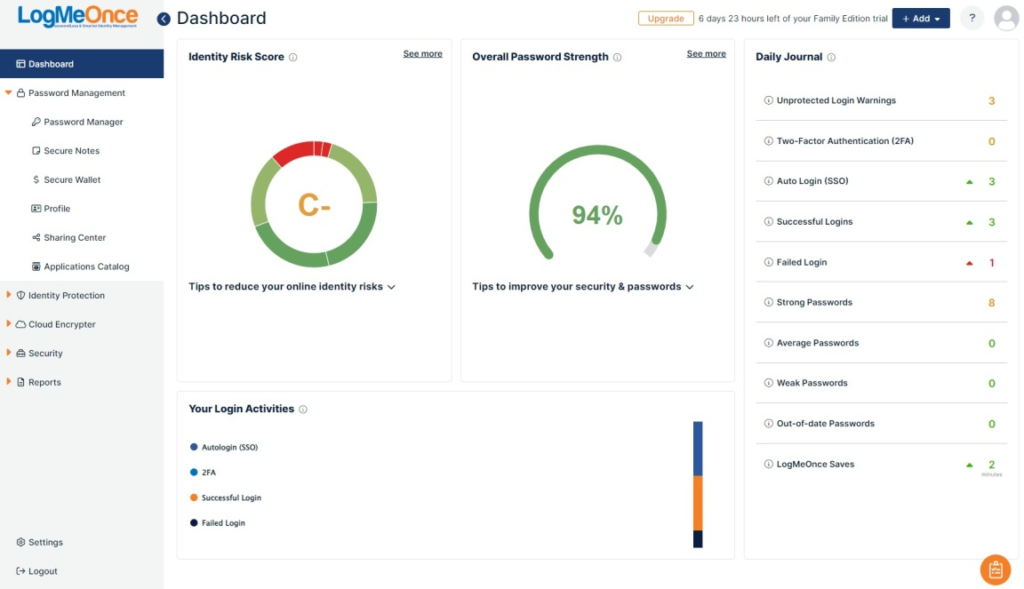
Option 1, using a password manager such as RoboForm, Bitwarden, NordPass, they would automatically generate strong passwords securely into their system, and remember what passwords are used for each different login. Reputable password managers are renowned for their security; they don’t leak your saved unique passwords or fall victim to data breaches. With password managers, you won’t have to juggle around dozens of passwords that are probably weak anyway. Many people who value their accounts and security, but also don’t have a ton of time thinking of unique passwords and filling them in individually, invest in password managers.
As the passwords they set are unique and almost impossible to crack using brute-force attacks.
(https://www.pcmag.com/picks/the-best-free-password-managers)
However, there are significant drawbacks to using password managers. The first problem is that although it is almost certain someone can look at all uniquely saved passwords in the digital world that are saved in the password manager, someone can see your whole list of saved passwords if they gain access to or save a screenshot of your passwords in the password manager locally. The second issue is that almost every single password manager is subscription based, not everyone wants to invest monthly to save their password into a digital platform. Additionally, if you don’t have a stable wifi connection or try to log in on a different device that wasn’t logged into your password manager, that means that you can not log in as the unique, long passwords are stored in the local device or other devices that has stable wifi connection and are logged in. Also, it’s quite tedious to change your existing passwords according to the password manager. Last but not least, the most fatal flaw is that if you, for some reason, ever forget the master password, which is a complex and very unique password that you would set for the password manager login, most password manager companies will not give your account back, losing all of your passwords along the way, which is a nightmare.
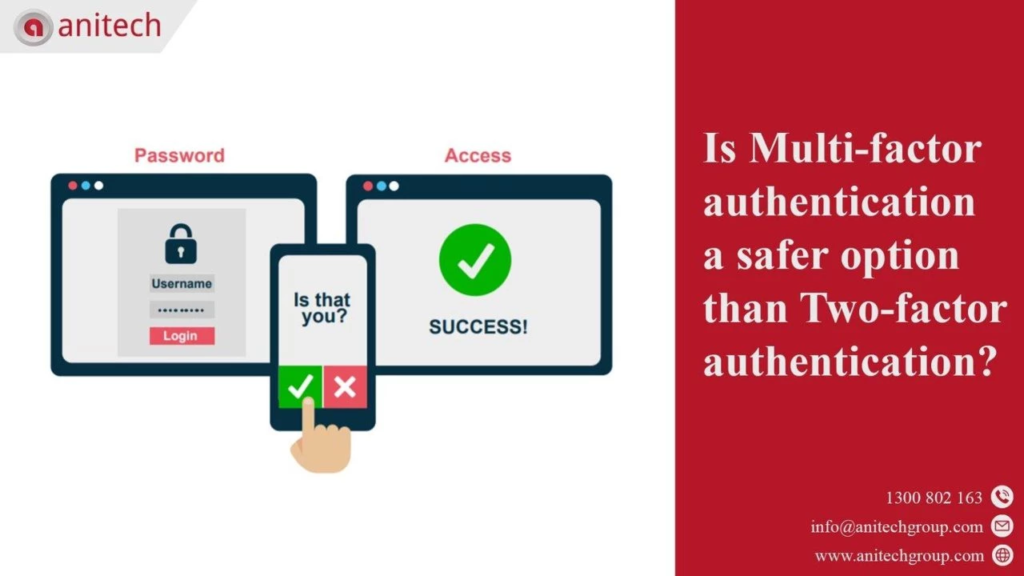
Option 2 is the one I prefer more: using the TFA (two-factor authentication) system for the long term. TFA allows users to set up an additional layer of security that would basically determine if the user that is trying to log in is you or not. The neat thing about TFA security is that you don’t really have to worry about setting up many unique passwords, because attackers would have to confirm that they are you in order to log in to your account. It is strongly advised to set up any TFA system if the platform allows you to do so; the process isn’t complicated and most definitely worth setting up. Additionally, there are multiple different types of TFA systems, such as physical security keys, SMS authentication, and authentication through email, etc. The biggest benefit of the TFA is that the strength of your main password doesn’t really matter; most platforms will notify you that someone tried to log in to your account, and succeeded by inserting the right password, but they will get blocked when they meet with an unexpected additional authentication system.
(https://anitechgroup.com/au/blog/multi-factor-authentication-and-why-it-is-safer-than-2fa/)
Nonetheless, there are flaws to using TFA, just like using password managers. The first is that it can be tedious to set it up for every individual account and platform, way more tedious than using password managers. Additionally, it is not foolproof; almost every TFA system can be cracked if the attacker is really, really determined to get your personal information, except for the physical security key, as it requires physical contact to actually authenticate. Moreover, not all platforms have support for TFA, and sometimes the authentication system can lag or cause issues.
There are various trade-offs to make a strong password and protection for your accounts, and there are truly no ultimate “secrets” that would make your life easier in the cyber world, but extra precautions like these to protect your accounts are way smarter than just hoping that you wouldn’t be the next victim.
By. Geumchang An
Works Cited
Singh, Kundan. “2FA Benefits & Risks: Real Tradeoffs Behind Modern Authentication.” LoginRadius, 15 Dec. 2025, https://www.loginradius.com/blog/identity/2fa-benefits-risks